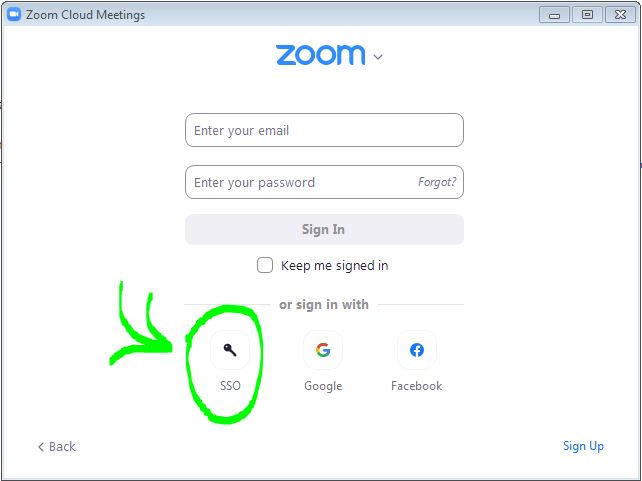
Open your Zoom application. (If you need to download and install the application, go to https://swarthmore.zoom.us. Scroll to the bottom of the page and click "Download Zoom Client".)
Select "Sign In with SSO".
Enter "Swarthmore" as the company domain. This will take you to the Swarthmore login page. Enter your Swarthmore username and password > then go through the Duo process.
You can also sign in via a web browser to schedule or start a meeting. Go to https://swarthmore.zoom.us and sign in with Swarthmore College username and password and go through the Duo process.