
Classroom Mac Screen Mirroring & Choose Content Guide
Screen Mirroring lets you display your Mac’s screen on classroom displays so you can share presentations, videos, and apps with clarity and ease. This guide walks you through choosing what content to share and connecting quickly in a classroom setting. Whether you’re presenting slides, demonstrating software, or playing media, these steps will help you get mirrored up and running with confidence.
There are 2 primary ways to access the Screen Mirroring settings:
- Open the Control Center by clicking the icon located at the right side of the menu bar.

Select Screen Mirroring.
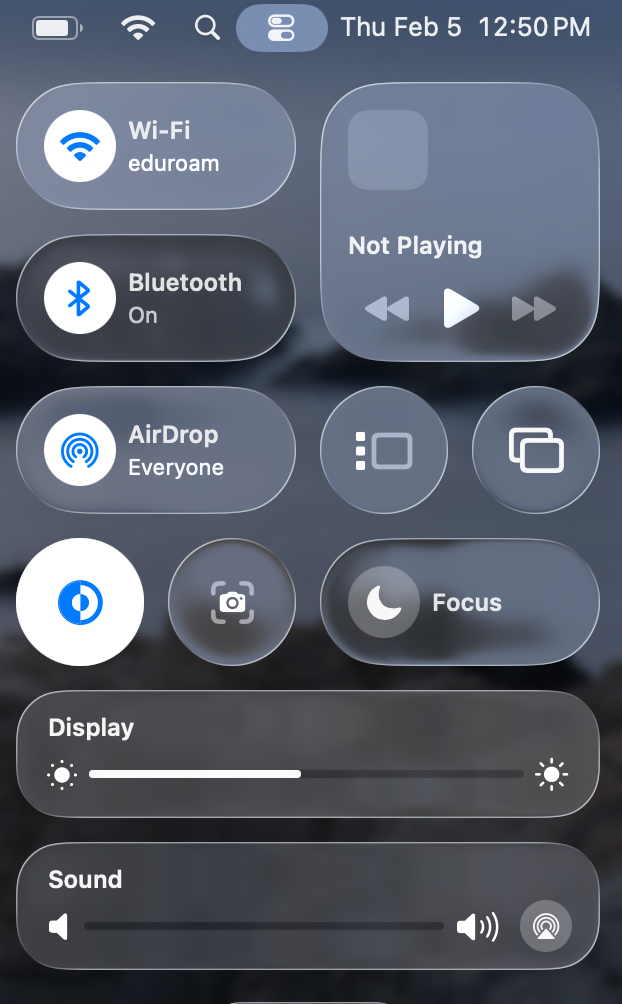
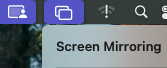
- In most scenarios, you can select the Screen Mirroring icon immediately located at the right side of the menu bar:
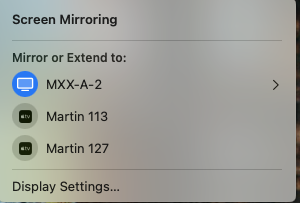
- Select the right arrow to expand the settings for the source display that is highlighted:
- Select “change” after expanding source display selection:
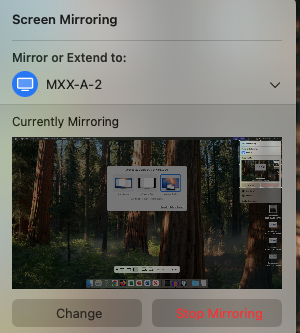
- Choose “Entire Screen” to mirror the display:

- Select the right arrow to expand the settings for the source display that is highlighted:


