Delete all your mail at once
- Choose the All Mail folder from the menu on the lefthand side of your screen. You may need to select "More" to view this option.
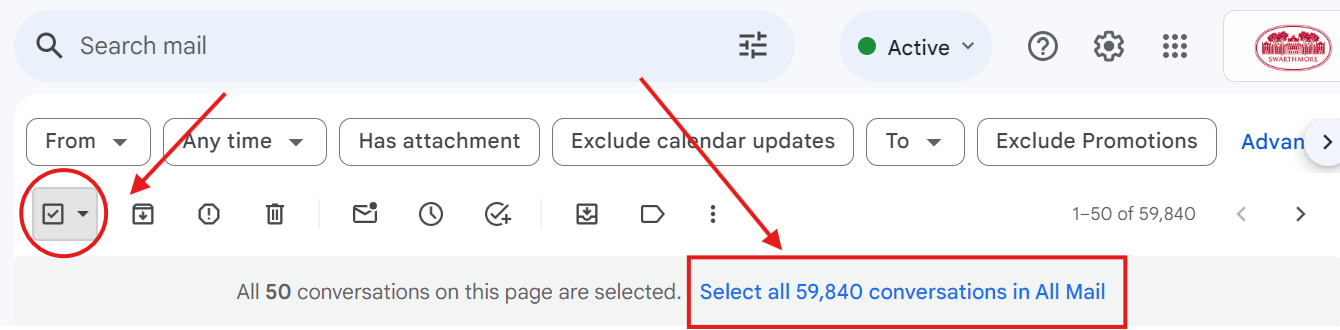
- Check the select box in the upper lefthand corner to select all emails. You can also select "Read", "Unread", "Starred", "Unstarred" by clicking on the small arrow to the right of the checkbox.
- Click the "Select all X messages in All Mail" link (where X is the number of emails displayed).
- Click the Trash icon to delete all emails.